
Cricut Hub
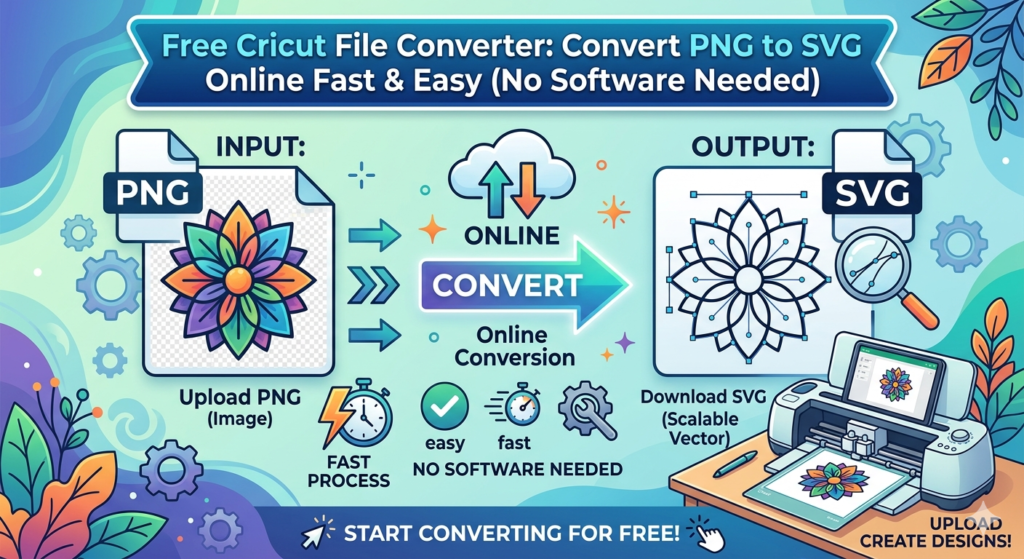
Free Cricut File Converter: Convert PNG to SVG Online Fast & Easy (No Software Needed)
f you use a Cricut machine, you already know how important SVG files are for clean cuts and professional-looking projects. But what happens when you only have a PNG or JPG image?
That’s where the
👉 Cricut File Converter
comes in.
This powerful online tool lets you convert PNG images into SVG files instantly, without installing software or uploading files to slow servers.
Whether you’re creating t-shirts, stickers, decals, or custom gifts, this tool helps you turn simple images into cut-ready designs in seconds.
What Is a Cricut File Converter?
A Cricut file converter is a tool that transforms raster images like PNG into vector files such as SVG.
SVG files are essential because they:
- Stay sharp at any size
- Cut smoothly on Cricut machines
- Allow easy editing and customization
- Work perfectly in design software
Modern converters, like the one on your site, use advanced vector tracing to recreate shapes and curves accurately while preserving detail.
Why Convert PNG to SVG for Cricut?
If you’re serious about crafting, converting PNG files to SVG is one of the most valuable skills you can learn.
Here’s why:
✂️ 1. Perfect Cuts Every Time
SVG files create smooth lines and precise shapes, which means:
- Cleaner vinyl cuts
- Less material waste
- Better final results
Raster images (PNG/JPG) can cause jagged edges when cut.
📏 2. Resize Without Losing Quality
One of the biggest advantages of SVG files is scalability.
You can:
- Resize designs
- Print large wall decals
- Create tiny stickers
Without losing sharpness or clarity.
🎨 3. Easy Editing
SVG files allow you to:
- Change colors
- Edit layers
- Customize designs
- Combine graphics
Perfect for creating personalized projects.
Features of Our Free Cricut File Converter
The
👉 Cricut File Converter
is designed specifically for crafters and designers.
Here’s what makes it stand out:
⚡ Instant Conversion
Your image is converted directly in your browser, meaning:
- No waiting
- No uploads
- No delays
This results in lightning-fast performance compared to server-based tools.
🔒 100% Private
Your files stay on your device.
Nothing is uploaded to external servers, which means:
- Total privacy
- Zero data storage risks
- Secure file handling
This local processing method ensures your designs remain private.
🎯 High-Quality Vector Results
Advanced vector tracing technology preserves:
- Sharp edges
- Smooth curves
- Accurate shapes
This results in professional-grade SVG files ready for cutting machines.
🆓 Completely Free
Unlike many converters:
- No watermarks
- No hidden fees
- No limits
You can convert as many files as you want.
How to Use the Cricut File Converter (Step-by-Step)
Using the converter is extremely simple.
Follow these steps:
Step 1 — Upload Your Image
Click:
Choose PNG
Select your file from your device.
Step 2 — Adjust Settings
Customize:
- Colors
- Detail level
- Curve smoothing
- Noise filtering
These settings help refine your final SVG.
Step 3 — Convert to SVG
Click:
Convert to SVG
Your vector preview appears instantly.
Step 4 — Download Your File
Click:
Download SVG
Your file is ready to use in Cricut software.
The tool includes adjustable parameters such as colors, detail level, and smoothing options to optimize the conversion result.
Best Uses for Converted SVG Files
Once your image is converted, you can use it for many projects.
Here are some popular Cricut ideas:
👕 Custom T-Shirts
Create:
- Quotes
- Logos
- Personalized designs
Perfect for selling on Etsy or gifts.
🏷️ Stickers & Labels
Use SVGs to create:
- Planner stickers
- Product labels
- Vinyl decals
These projects are fast and profitable.
🏡 Home Decor
Popular ideas:
- Wall decals
- Wooden signs
- Decorative vinyl
SVG files make detailed cuts easy.
🎁 Personalized Gifts
Great for:
- Birthdays
- Weddings
- Holidays
Custom SVG designs make unique gifts that stand out.
Tips for Getting the Best SVG Results
To get professional-quality results, follow these tips:
Use High-Contrast Images
Black-and-white images work best.
Avoid:
- Blurry images
- Low-resolution graphics
Clean images produce cleaner vectors.
Reduce Colors for Logos
For simple logos:
Use:
Colors: 2–4
Detail: Medium
This produces sharper results.
Clean Your Image First
Before converting:
- Remove background noise
- Crop unwanted areas
Cleaner input = better output.
Why This Tool Is Perfect for Cricut Users
The
👉 Cricut File Converter
is built specifically for crafting workflows.
It supports:
- Cricut machines
- Silhouette cutters
- Laser cutting
- Vinyl cutting
SVG files created by this tool work seamlessly with cutting software and help produce accurate and scalable designs.
Frequently Asked Questions
Is this Cricut file converter free?
Yes. The tool is completely free and allows unlimited conversions.
Do I need to install software?
No. Everything runs inside your browser.
Can I convert JPG to SVG?
Yes. You can convert most raster images including PNG and JPG.
Will my files stay private?
Yes. The conversion happens locally in your browser, so files are not uploaded to servers.
Does this work with Cricut Design Space?
Yes. The generated SVG files are compatible with Cricut software.
Final Thoughts
If you’re serious about crafting, selling products, or creating professional designs, a reliable converter is essential.
The
👉 Cricut File Converter
makes it easy to transform images into clean, scalable SVG files in seconds.
No software.
No waiting.
No limits.
Just fast, reliable conversions ready for your next project.